
-0.6.0.dev1062-gold?style=flat)
注釈
サンプルコードを全てダウンロードするには 末尾に移動 。
LFRic山岳学#
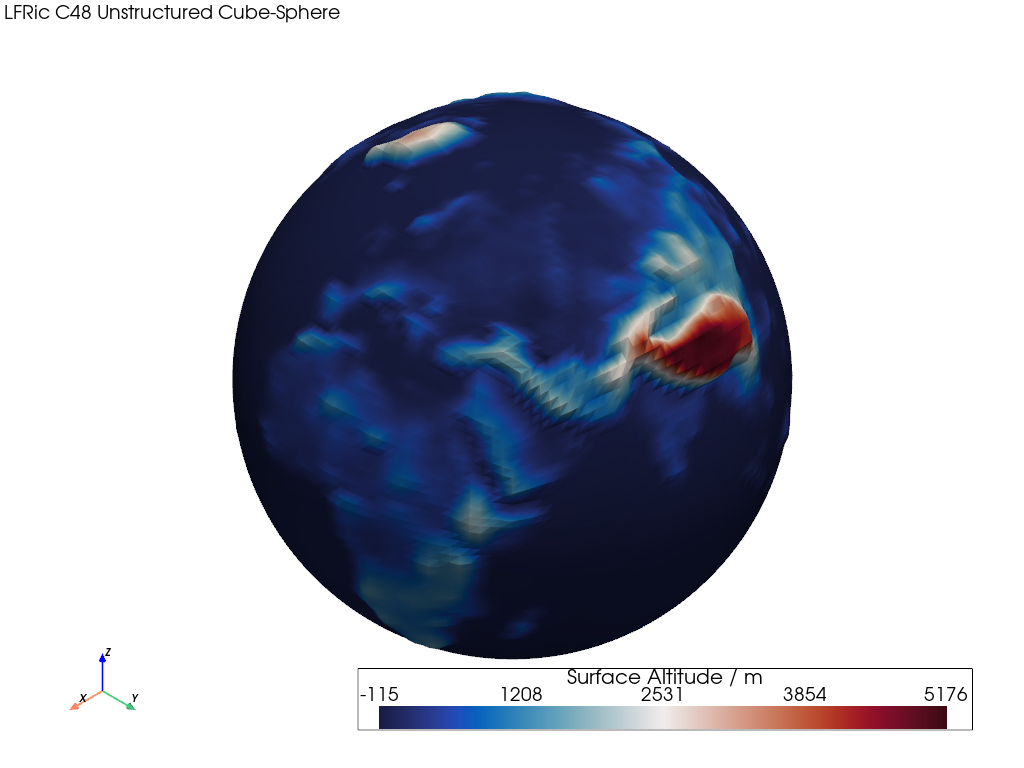
この例では、ワープした非構造化立方体メッシュをレンダリングする方法を示します。
📋 まとめ#
Uses an unstructured Met Office LFRic C48 cubed-sphere mesh of surface altitude data.
The mesh contains quad cells and is constructed from CF UGRID unstructured cell points and connectivity.
スカラー標高値はメッシュのノード/ポイントに配置されるため、レンダリングされた色はセル面全体で補間されることに注意してください。 pyvista "warp" 操作は、同じノードの標高値を使用してメッシュを押し出し、グローバルなサーフェスの地形を強調します。
The warp uses compute_normals() and
warp_by_scalar(). See
Computing Surface Normals
for further details.
from __future__ import annotations

import geovista as gv
from geovista.pantry.meshes import lfric_orog


def main() -> None:
    """Plot a warped LFRic unstructured mesh.

    Notes
    -----
    .. versionadded:: 0.1.0

    """
    # Load the sample mesh.
    mesh = lfric_orog()

    # Warp the mesh nodes by the surface altitude.
    mesh.compute_normals(cell_normals=False, point_normals=True, inplace=True)
    mesh.warp_by_scalar(inplace=True, factor=2e-5)

    # Plot the unstructured mesh.
    p = gv.GeoPlotter()
    sargs = {"title": "Surface Altitude / m", "fmt": "%.0f"}
    p.add_mesh(mesh, scalar_bar_args=sargs)
    p.add_text(
        "LFRic C48 Unstructured Cube-Sphere",
        position="upper_left",
        font_size=10,
    )

    # Define a specific camera position.
    p.camera.zoom(1.3)

    p.add_axes()
    p.show()


if __name__ == "__main__":
    main()